Last Updated: June 5, 2026
The Best Dog Cameras for Watching Your Pup From Anywhere
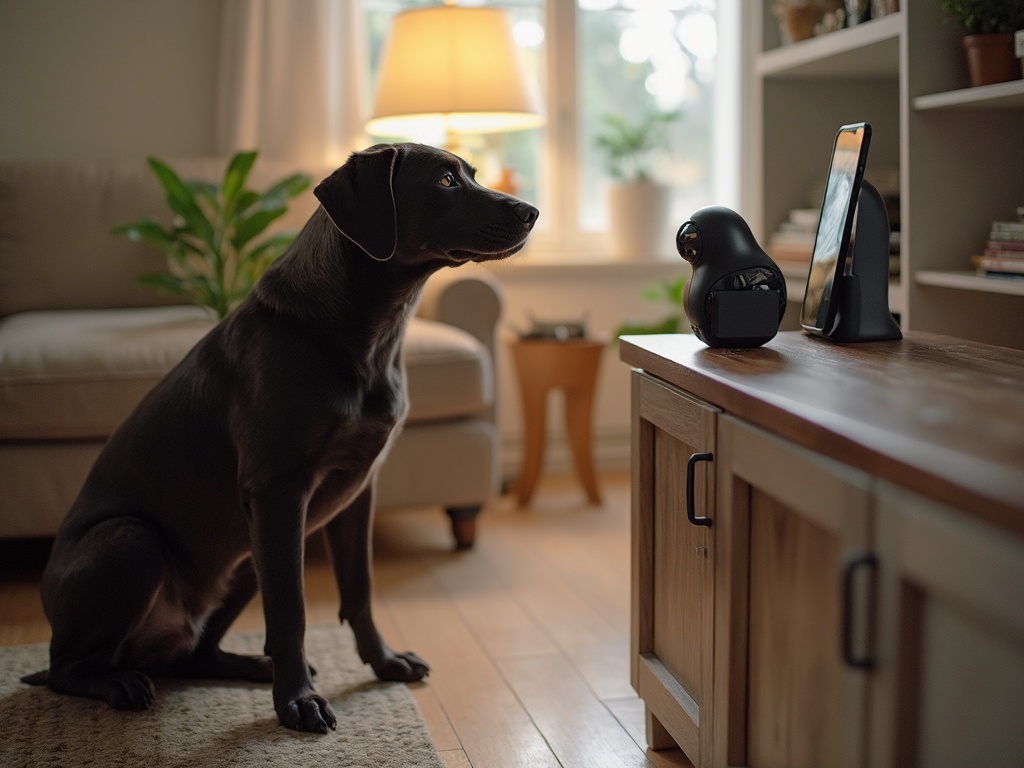
A dog camera is a Wi-Fi-connected indoor camera designed specifically for monitoring pets — usually with two-way audio, motion alerts, and sometimes treat dispensing or laser play. After living with five different models across my home in Austin (with Cooper, Luna, and one very judgmental senior cat named Whiskers wandering through every shot), I’ve narrowed the field down to the six cameras genuinely worth your money in 2026.
Whether you’re dealing with separation anxiety, a new puppy, or you just like checking in during a long workday, the right camera makes a real difference. Below you’ll find a side-by-side comparison, deep dives on each pick, and answers to the questions I get asked most often.
Comparison Table: Top Dog Cameras at a Glance
| Product | Best For | Price Range | Rating |
|---|---|---|---|
| Furbo 360° Dog Camera | Best Overall | $200–$240 | 4.8/5 |
| Wyze Cam Pan v3 | Best Budget | $35–$45 | 4.6/5 |
| Petcube Bites 2 Lite | Best for Treat Tossing | $130–$160 | 4.5/5 |
| Ring Indoor Cam (2nd Gen) | Best for Smart Home | $50–$70 | 4.5/5 |
| Pawbo Life Pet Camera | Best for Interactive Play | $100–$130 | 4.3/5 |
| eufy Indoor Cam 2K Pan & Tilt | Best No-Subscription Option | $40–$55 | 4.6/5 |
1. Furbo 360° Dog Camera — Best Overall
The Furbo 360° earned its top spot because it’s the only camera I tested that actually tracks Cooper around the living room without me lifting a finger. The 360-degree rotating lens follows movement automatically, and the dog-specific AI sends alerts when there’s barking, howling, or even a person in the frame — not just generic motion.
Treat tossing remains the showstopper. I’ve used it during thunderstorms to redirect Luna’s anxious pacing, and the Furbo Nanny subscription (optional) flags unusual activity like a dog vomiting or trapped behavior. It’s pricey, but for owners of anxious or destructive dogs, it pays for itself.
| Pros | Cons |
|---|---|
| True 360° auto-tracking; treat tossing; dog-specific AI alerts; sturdy build | Premium price; best features locked behind Furbo Nanny subscription |
2. Wyze Cam Pan v3 — Best Budget
For under fifty dollars, the Wyze Cam Pan v3 punches absurdly far above its weight. You get full pan-and-tilt coverage, color night vision, IP65 weather resistance (yes, you can put it on a covered porch), and free 14-day cloud storage. I keep one in the kitchen aimed at the food bowls — it’s been flawless for nine months.
The catch: there’s no treat dispenser and the app, while improved, still feels less polished than premium competitors. But if you just want to see what your dog is up to, this is the smartest $40 you’ll spend this year.
| Pros | Cons |
|---|---|
| Incredible value; pan/tilt; weather-resistant; free cloud storage tier | No treat tossing; app occasionally laggy; basic AI detection |
3. Petcube Bites 2 Lite — Best for Treat Tossing
If interaction is your priority but the Furbo’s price tag stings, the Bites 2 Lite is the sweet spot. It throws treats up to six feet (Cooper has confirmed this is sufficient), offers crisp 1080p HD, and includes alerts for barks, smoke alarms, and broken glass — surprisingly useful safety extras.
One quirk worth noting: the treat compartment fits medium-sized kibble best. Tiny training treats sometimes jam, and jumbo biscuits won’t fit at all. Stick with round, dime-sized treats for the smoothest experience.
| Pros | Cons |
|---|---|
| Reliable treat launching; safety alerts (smoke/glass); sleek design | Picky about treat shape/size; fixed lens (no auto-tracking) |
4. Ring Indoor Cam (2nd Gen) — Best for Smart Home
Already running an Alexa-heavy household? The Ring Indoor Cam (2nd Gen) slots in perfectly. The new manual privacy shutter is a thoughtful touch — flip it closed when you’re home and don’t want recording. Video quality is sharp, and integration with Echo Show devices means you can ask Alexa to show the living room hands-free.
It’s not a pet-specific camera, so don’t expect treat tossing or barking AI. But for general monitoring with rock-solid smart home glue, nothing else at this price competes.
| Pros | Cons |
|---|---|
| Excellent Alexa integration; manual privacy shutter; compact | Requires Ring Protect for video history; no pet-specific features |
5. Pawbo Life Pet Camera — Best for Interactive Play
The Pawbo Life leans into play. A built-in laser pointer (safely angled away from eyes) lets you trigger chase sessions remotely, and the treat dispenser handles small training morsels reliably. The video calling feature with two-way audio is genuinely high quality — Luna recognizes my voice through it more clearly than through the Furbo.
Software updates have slowed down compared to bigger brands, which is the main reason it isn’t ranked higher. Still, for play-driven dogs that need engagement during long days, it’s a fantastic boredom-buster.
| Pros | Cons |
|---|---|
| Laser play feature; clear two-way audio; reliable treat dispensing | Less frequent app updates; smaller user community |
6. eufy Indoor Cam 2K Pan & Tilt — Best No-Subscription Option
Hate paying monthly fees? The eufy Indoor Cam 2K stores everything locally on a microSD card (up to 128GB) and offers free cloud storage as backup. The 2K resolution is sharper than most cameras twice its price, and pan/tilt covers a full 360 degrees horizontally.
Pet detection AI is included at no extra cost — a rarity at this price. The only friction point is initial setup, which expects you to use the eufy Security app rather than a generic platform. Once configured, though, it just works.
| Pros | Cons |
|---|---|
| 2K resolution; free local storage; pet detection included; no required subscription | Setup process can be fiddly; no treat tossing |
How to Choose the Right Dog Camera
Start by being honest about why you want one. If your dog has separation anxiety, prioritize two-way audio and a calm voice feature — being able to soothe them mid-meltdown is genuinely useful. For destructive chewers or counter-surfers, treat tossing acts as remote redirection. If you just want a video baby monitor for your pup, a budget pan/tilt camera covers the bases.
Pay attention to placement. A camera mounted too high captures mostly carpet; too low and your dog’s nose fills the frame. Around four feet off the ground, angled slightly downward, gives the most natural view. The American Kennel Club has solid additional guidance on managing dogs left home alone, and the ASPCA’s dog care library covers separation anxiety in depth.
Related camera reviews: For a treat-tossing option, read our Furbo dog camera review. If you monitor both cats and dogs, our pet camera guide may fit better than a dog-only setup.
Subscription, Privacy, and Alert Accuracy
A dog camera can look affordable until the useful features sit behind a subscription. Before buying, check whether cloud recording, bark alerts, person detection, treat history, or video downloads require a monthly plan. If you only need live check-ins, a simpler no-subscription camera may be the better value.
Privacy settings deserve the same attention as video quality. Use a strong password, turn on two-factor authentication if available, and place the camera so it watches the dog without exposing bedrooms, desks, or private areas. For bark or motion alerts, expect some false positives from delivery noise, sunlight changes, and other pets moving through the room.
| Buyer Need | Feature to Prioritize | Common Trap |
|---|---|---|
| Basic check-ins | Fast live view and night vision | Paying for alerts you never use |
| Barking patterns | Reliable sound alerts and clips | False alerts from outside noise |
| Treat tossing | Jam-resistant dispenser | Treats too large for the mechanism |
| Privacy | Secure login and storage controls | Camera aimed at private spaces |
Frequently Asked Questions
Do dog cameras really help with separation anxiety?
They can help mild cases by letting owners check in and use two-way audio to reassure a dog. For serious anxiety, a camera is a diagnostic tool — you can see exactly when and how the panic starts — but treatment usually requires a vet, a behaviorist, and sometimes medication.
Are treat-tossing cameras safe for dogs that gulp food?
Use them carefully. Set the dispenser to a slow rate, use small training treats, and supervise the first few sessions remotely. Dogs with a history of choking or resource guarding around food may be better off with a non-treat model.How much internet bandwidth does a dog camera use?
Most 1080p cameras consume 1–3 GB per hour of active streaming. If you only check in for a few minutes a day, the impact on your data is minimal — but unlimited home internet is recommended if you plan to leave a live feed running constantly.
Can dogs see and recognize me on the camera screen?
Some dogs absolutely respond to their owner’s voice through the speaker, and a few will look at the lens. Most, however, react more to audio than to seeing a screen, since dogs perceive flat displays differently than humans do. Voice cues land best.
Do I need a subscription to use these cameras?
Not always. Wyze, eufy, and Pawbo all offer meaningful functionality without paying a monthly fee. Furbo, Petcube, and Ring lock their best features (advanced alerts, video history) behind subscriptions ranging from $3 to $15 per month.
Final Take
For most pet parents, the Furbo 360° is the clearest winner — it’s purpose-built for dogs and handles everything from anxiety relief to playful treat tossing. Budget shoppers should grab the Wyze Cam Pan v3 without hesitation, and anyone who hates subscriptions will love the eufy 2K. Whichever you choose, even a basic camera will change how connected you feel to your dog during the workday. Cooper and Luna certainly appreciate the random midday hellos — and the occasional treat surprise.
Sarah Mitchell has 15+ years of experience in pet care and product testing. She lives in Austin, TX with her two rescue dogs Cooper & Luna and her senior cat Whiskers. Sarah has reviewed hundreds of pet products to help owners make confident, informed decisions for their furry family members.
Pet care expert and product reviewer. Lifelong pet owner with 2 dogs and a cat. Every recommendation is based on real research and verified owner experiences.